
Blog · Web development
Client First Webflow: What Is It?
On this page
Discover how the Client First Webflow method makes your sites clearer, faster, and easier to manage for your teams and clients.
When you have a Webflow site developed, two needs always come up: getting an aesthetic and high-performing site, and being able to evolve it easily without breaking everything. That’s exactly what the Client First Webflow method achieves.
Created by Finsweet, a leading no-code agency, this approach has transformed the way Webflow sites are designed. It combines rigor, readability, and autonomy for both teams and clients.
Client First Webflow: The Method That Changes Everything
A Clear and Quick Definition of the Client First System
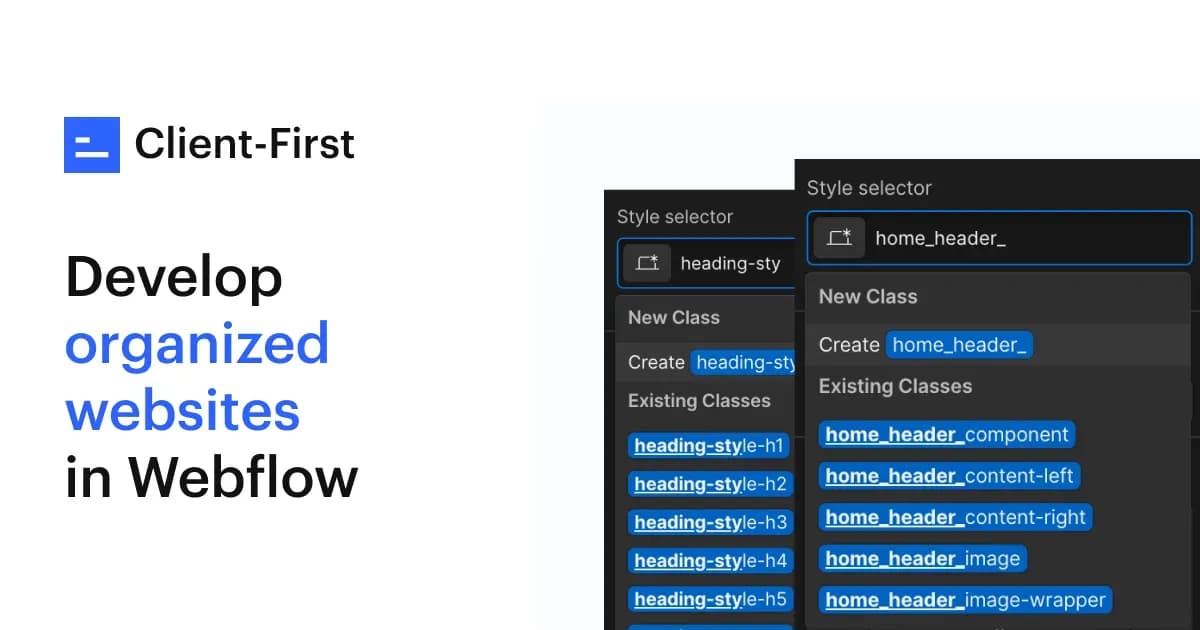
Client First Webflow is a class structuring and naming method for Webflow. It defines how to name, organize, and hierarchize a site’s elements to make it logical and easy to maintain.
This approach is based on three simple principles:
- a consistent and standardized class nomenclature
- a readable and hierarchical HTML structure
- a rigorous management of spacing and styles through utility classes
The goal is clear: make every Webflow project understandable, even for someone who didn’t take part in its creation.
Why this method has become a standard
Before Client First, every designer worked in their own way: classes like .div1 or .section-hero2 piled up without any logic. The result: a site that was hard to maintain and almost unreadable for anyone else.
Client First introduced a shared foundation. Today, it has become a standard adopted by most Webflow agencies. Its logic makes the code cleaner, eases collaboration, and simplifies life for clients.
When to use Client First in Webflow?
The method isn’t just for agencies or experts. It applies to any Webflow project that needs to be durable, clear, and scalable.
It is particularly useful:
- when multiple people work on the same site
- when the client needs to edit content without risk
- when visual consistency across multiple pages is required
- when the project is expected to evolve over time
In other words,as soon as you want a professional, stable, and well-structured site, Client First is an excellent foundation.
Why use Client First for your Webflow site?
For businesses and clients
The system’s value lies in its name:Client First.
This method makes the site easier to understand and manage.
The client no longer needs a developer for every update.
Thanks to a clear and consistent logic, they can:
- easily find content blocks in the Webflow interface
- duplicate a section without breaking the style
- edit text, images, or buttons without touching the code
- evolve their site without recoding each page
It’s an approach designed to ensure the site remains accessible, stable, and sustainable, even after delivery.
For Webflow designers and developers
On the technical side, Client First brings much-needed rigor.
Each class follows a predictable and understandable logic. The CSS is lighter, the HTML structure better organized, and maintenance faster.
This consistency allows an entire team to work on a project without confusion.
A new designer can take over the site immediately without having to analyze everything.
For SEO and performance
Client First isn’t just about structure—it also improves performance and organic search (SEO).
A clear HTML hierarchy helps Google understand pages and index content more effectively.
Cleaner code reduces site weight and improves loading speed.
In practice, Client First promotes:
- better readability of H1, H2, and H3 tags by search engines
- shorter, better-optimized CSS
- consistent display across all screens
- a smoother user experience
How does Client First work in Webflow?
A clear structure and hierarchy logic
The method relies on a standardized, reusable architecture.
Every Webflow page follows the same hierarchy:
section > container > content-wrapper > heading > text
Each level serves a specific purpose:
- section – main block (e.g. Hero section)
- container – constrains content width
- content-wrapper – groups text, images and buttons
- heading / text – main content
Here’s a comparative example:
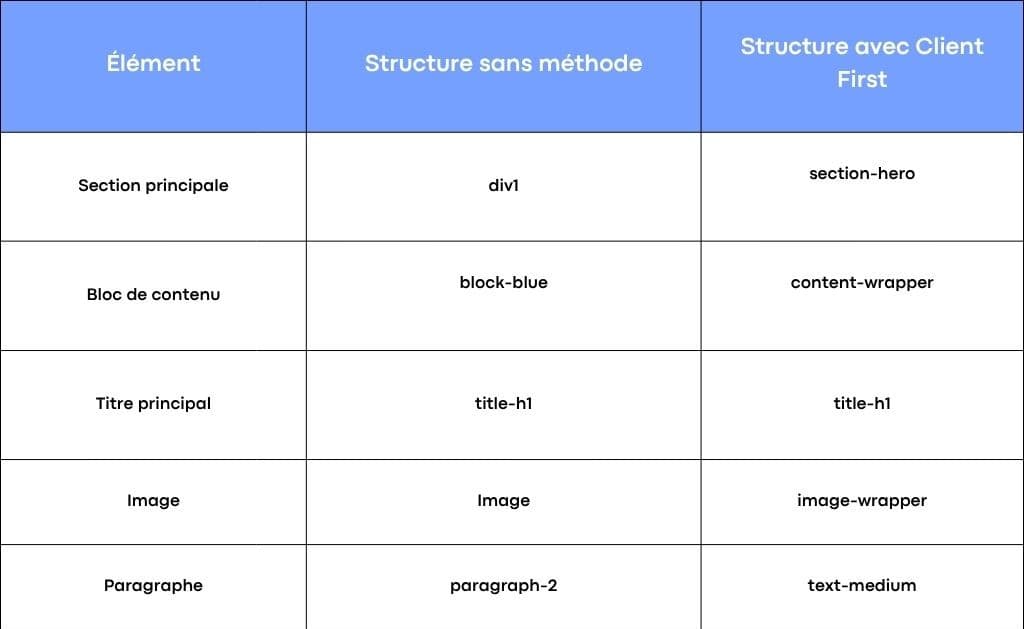
Example of a Client First structure
This logic allows you to scan a Webflow site’s structure at a glance.
The utility class system
Another pillar: utility classes.
They are used to manage the most common CSS properties without creating multiple styles.
Example classes:
- .padding-large – adds large inner spacing
- .margin-bottom-medium – creates medium space below a block
- .text-size-small – sets a small text size
- .color-primary – applies the project’s primary color
These classes are reusable across all pages. They ensure visual consistency and speed up creation.
Common categories:
- Spacing : padding, margin, spacing
- Text : text-size, alignment, heading
- Colors : color-primary, color-secondary
- Display : flex, grid, align
- Size : width, height, max-width
Thanks to these classes, projects remain lightweight, logical, and quick to maintain.
The importance of global properties
Client First favors a global and standardized.
Instead of modifying an isolated element, you update a class that applies everywhere.
This ensures visual consistency across the site and simplifies any future changes.
Key best practices:
- manage spacing with global classes
- use rem units for responsive scaling
- define global colors to unify the design
- hierarchize text styles (headings, paragraphs, labels)
This rigor is what sets a “clean” site apart from one that’s hard to maintain.
How to apply Client First to your Webflow project
Key steps
- Download Finsweet’s official documentation
- Import the Client First style guide into your Webflow workspace
- Name classes correctly from the start
- Use utility classes for spacing and colors
- Follow the section > container > content-wrapper structure on every page
- Manage global styles (text size, color, spacing) consistently
Useful tools and resources
- Official Client First documentation (Finsweet)
- Ready-to-import Webflow style guide
- Finsweet and Webflow expert video tutorials on YouTube
- Free templates and clones based on Client First
These resources help you adopt the method without starting from scratch.
Key takeaways from Client First in Webflow
Client First Webflow is first and foremost a philosophy of rigor and clarity.
It provides both a solid structure for developers and better understanding for clients.
Key points:
- a clear structure and logical hierarchy
- simple, reusable, and consistent classes
- easier maintenance
- improved code and page readability
- smoother team collaboration
- a faster, more SEO-friendly site
By adopting Client First Webflow, you build more robust, easier-to-scale, and more understandable sites for your teams and clients. It’s a modern standard for the web, to be integrated from the design of your next project.
At Scroll, we use this method on all our Webflow projects to ensure our clients get fast, reliable, and easy-to-scale sites.
If you want a Webflow site built on a solid foundation, ready to last and perform, this is clearly the method to adopt.
What is the Client First method on Webflow?
It’s a class structuring and naming method created by Finsweet to make Webflow projects clearer and more consistent.
How do you install Client First on a Webflow project?
Simply import the official style guide provided by Finsweet and apply their class and structure logic.
What’s the difference from a classic structure?
Client First brings a universal and documented logic, whereas classic naming depends on each designer.
Can Client First be combined with other CSS frameworks?
Yes, but you should avoid class redundancies to maintain a clear and lightweight structure.
Does Client First improve Webflow performance?
Yes, thanks to optimised CSS, a clean hierarchy, and faster-loading code.
Related articles
Jun 15, 2026
Modernizing a legacy application without rewriting everything
Rewriting from scratch is risky and time-consuming. How to modernize a legacy application step by step—using strangler, encapsulation, or replatforming—without a big bang.
Jun 15, 2026
Technical debt: is your internal application at risk?
Sluggish performance, fear of modifying the code, reliance on a single person: the warning signs of risky technical debt in your internal application, and what an audit reveals.
Jun 11, 2026
KYC and AML for a marketplace: how to avoid getting blocked
A marketplace handles third-party funds: KYC and AML are mandatory. The practical building blocks and the pitfall of addressing them too late.